| 1 | # Radicalize |
| 2 | |
| 3 |  |
| 4 | |
| 5 | A script that helps clone existing git repos to [Radicle](https://radicle.xyz). |
| 6 | |
| 7 | ## Pre-Installation |
| 8 | |
| 9 | In order to use this script you will already need Radicle installed on your machine. Follow the instructions [here](https://radicle.xyz/#get-started) before moving forward. |
| 10 | |
| 11 | After installing be sure to initialize Radicle with the following command: |
| 12 | |
| 13 | ``` |
| 14 | rad auth |
| 15 | ``` |
| 16 | |
| 17 | Then spin up the node to make sure that is working as well. |
| 18 | |
| 19 | ``` |
| 20 | rad node start |
| 21 | ``` |
| 22 | |
| 23 | ## Installation |
| 24 | |
| 25 | This script is written in Go so there are a few install options. |
| 26 | |
| 27 | ### Install with Homebrew |
| 28 | ``` |
| 29 | brew install stevedylandev/radicalize/radicalize |
| 30 | ``` |
| 31 | |
| 32 | ### Install directly with Go |
| 33 | Have Go installed and run this command. |
| 34 | ``` |
| 35 | go install github.com/stevedylandev/radicalize@latest |
| 36 | ``` |
| 37 | |
| 38 | ### Clone and Build with Go |
| 39 | For this method simply clone the repo, build, and install with Go |
| 40 | ``` |
| 41 | git clone https://github.com/stevedylandev/radicalize |
| 42 | cd radicalize |
| 43 | go build |
| 44 | go install . |
| 45 | ``` |
| 46 | |
| 47 | ## Usage |
| 48 | |
| 49 | This CLI (`radicalize`) has two commands: |
| 50 | |
| 51 | ### `local` |
| 52 | |
| 53 | To start backing up your local repos simply run the command `radicalize local` in the parent directory of all your projects. This will creep through all directories for .git repos on a surface level, so if you have sub directories you will want to navigate to those separately. After finding all git repos you can select which ones you would like to init to your Radicle node. Once you have confirmed the selection it will work through each repo and initialize it. |
| 54 | |
| 55 | 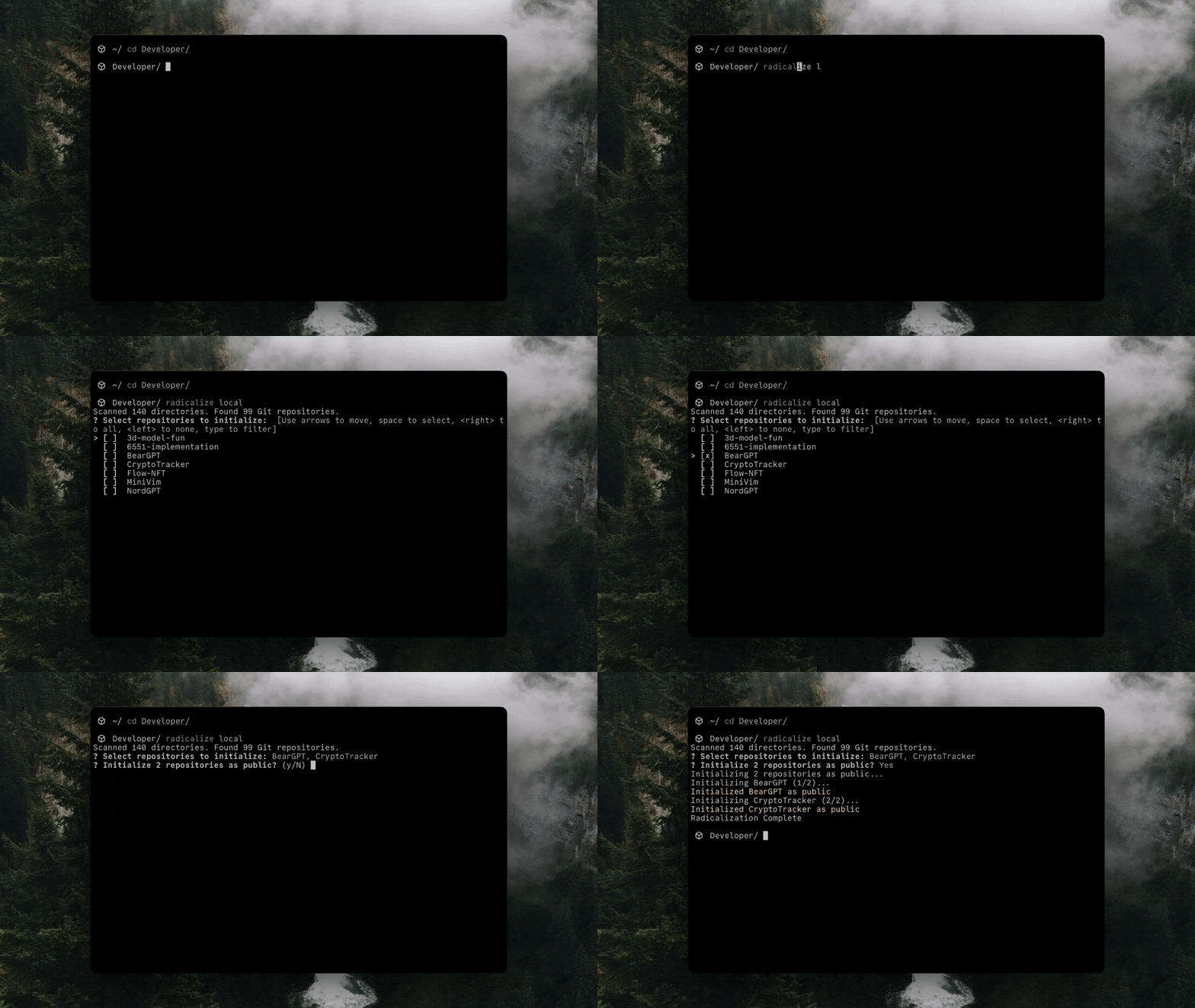 |
| 56 | |
| 57 | **Private Repos** |
| 58 | |
| 59 | By default the program will make repos public, however you can pass in the `--private` flag so all selected repos will be private instead |
| 60 | |
| 61 | ``` |
| 62 | radicalize local --private |
| 63 | ``` |
| 64 | |
| 65 | ### `remote` |
| 66 | |
| 67 | The CLI can also pull the latest 100 repos from any given user or organization on GitHub, clone them, and initalize them locally as well. Run `radicalize remote` which will then prompt you for the username or org name to search. Once provided it will put the repos into a selection list where you can start typing the name as well as scroll through it. Once all are selected it will begin the process of cloning and initalizing. |
| 68 | |
| 69 | 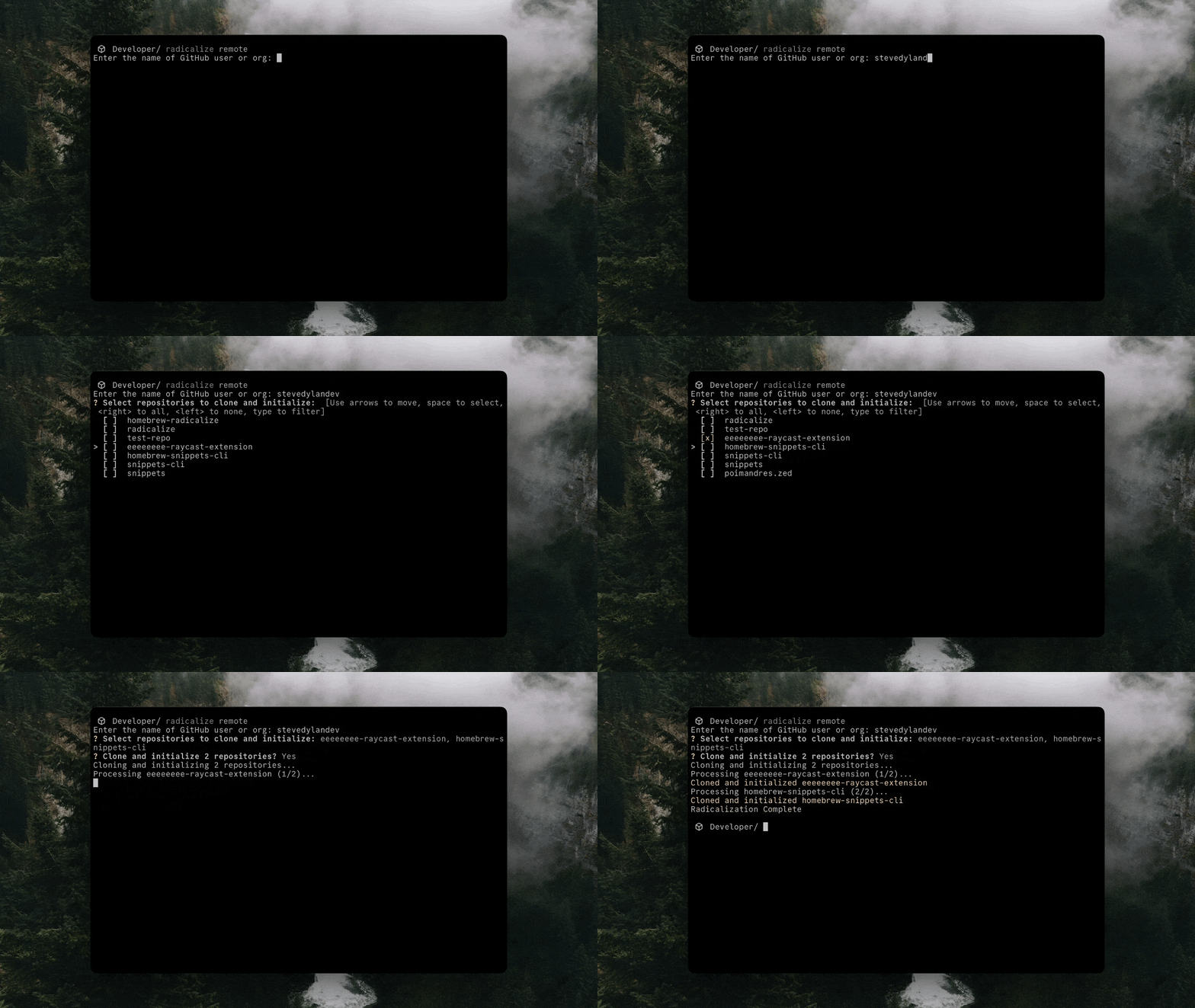 |